Module 4: Ethics & Networking Intro
On this page 13
Information Assurance (IA)
The four pillars of information assurance:
- Confidentiality — ensuring information is accessible only to authorized parties
- Integrity — ensuring information is accurate and unaltered
- Availability — ensuring systems and data are accessible when needed
- Policy / Privacy — governing how data is handled and who can access it
Legal Issues in Cybersecurity
Types of Law
- Criminal Law: Requires proof "beyond a reasonable doubt." Cybercrime is relatively new, so the legal system is still catching up — juries often struggle to understand technical details, making prosecution difficult. Newer laws have led to more cybercrime prosecutions.
- Civil Law: Requires only a >50% standard of proof ("preponderance of evidence"). More common in intellectual property disputes, defamation, and harassment cases.
Key Legal Challenges
- Unauthorized access laws are often ambiguous and hard to prosecute
- Setting damages in civil cases is difficult
- Software companies have historically not been sued for security bugs, though this may change as breaches become more severe
- International jurisdiction creates major complications — laws differ across borders, and attribution is difficult
Types of Protected Information
- Copyright
- Unauthorized access statutes
- Theft laws
- Domain-specific regulations (e.g., HIPAA for medical information)
Ethical Issues in Cybersecurity
Security professionals often have access to everything on a network, which creates significant ethical responsibilities:
- Privacy vs. Monitoring: Monitoring employee activity (traffic, keystrokes, browsing) may be technically legal but raises serious ethical questions around privacy and dignity
- First Amendment: Free speech considerations apply in certain monitoring contexts
- Productivity Monitoring vs. Surveillance: Monitoring for productivity or policy violations (sexual harassment, defamation) can cross into invasive territory
Just because technology allows something doesn't mean society should permit it. Technology is consistently outpacing the rules and regulations meant to govern it.
Access Methods (Attack Surface)
| Access Type | Mode | Examples |
|---|---|---|
| Physical | At rest | Accessing a stored device or file |
| Physical | In motion | Lost laptops, improperly discarded data |
| 3rd Party Physical | Deliberate | Untrusted insider with physical access |
| 3rd Party Physical | Accidental | Untrained insider mishandling data |
| Network | Active | Break-in, exploitation |
| Network | Passive | Traffic sniffing/eavesdropping |
| Network | Social | Using the network to cause a third party to expose data |
Networking Overview
Core Concepts
- A vulnerability in an application can take that app offline
- A vulnerability in the OS can take the entire system down
- Addressing is a common problem area:
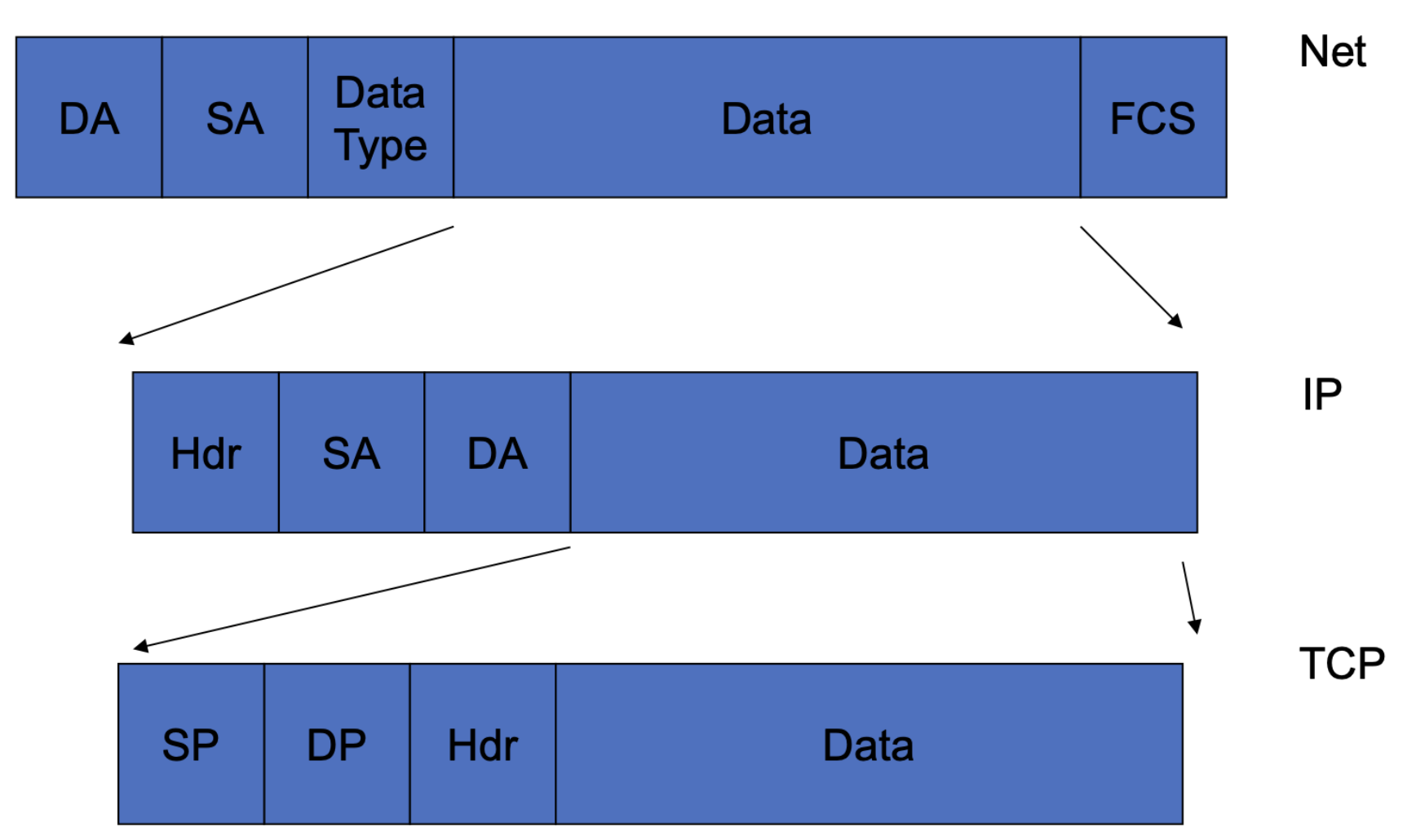
- Every device on the same media needs a hardware (MAC) address
- IP addresses provide globally unique identifiers at the network layer
- Critically: addresses are not verified — an attacker can spoof any source IP address they choose
Protocols
- TCP — connection-oriented, reliable delivery
- UDP — connectionless, faster but no delivery guarantee
- Port numbers — identify which application on a host should receive a packet (e.g., port 80 for HTTP, port 443 for HTTPS)
Network Devices
- Hub: Broadcasts every packet to all connected devices — all machines see all traffic
- Switch: Forwards packets only to the correct destination device
- Router: Connects networks together; uses routing tables to forward packets based on destination IP and metrics (e.g., fastest path)
Client/Server Model
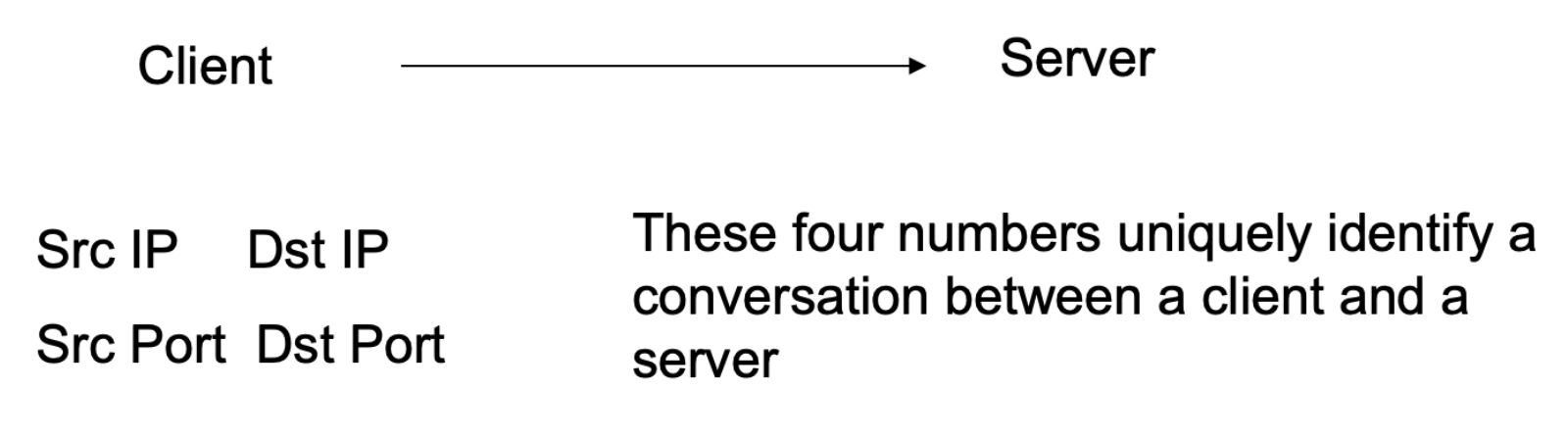
- The server binds to a port and waits for incoming connections
- The client initiates a connection to the server's address and port
- The OS filters and discards packets that don't match the bound address
Routing
- Routers maintain routing tables containing IP ranges their neighboring routers can handle
- Routers do not need to know the full topology of the internet — they only need to know what their neighbors can reach
- Routes are chosen based on destination address and path metrics (e.g., hop count, latency)